
Deep civil aviation simulation for serious virtual pilots on PC
Simulates globe-spanning flights with over 24,000 airports, interactive 3D cockpits, and structured missions for task-driven play. Microsoft Flight Simulator X appears on Windows via the Steam platform, updated for modern compatibility by steampowered. Key elements include narrated flight lessons, a fleet of 20+ aircraft, and an integrated multiplayer mode that supports shared cockpits and cooperative flying. The simulator fits aviation enthusiasts and trainee pilots who want procedural training and long-form flight sessions.
Top Recommended Alternative
What kind of flight experience does it deliver?
The simulator models civil aviation as a procedural activity, letting players plan flights among 24,000 airports and follow mission objectives from search-and-rescue to commercial scenarios. The included Learning Center contains narrated lessons by Rod Machado, which structure training toward practical procedures. The base package lists more than 20 aircraft, supporting both light general aviation and larger airliners, so the core loop alternates between checklist management, navigation, and mission completion.
Does it support multiplayer and third-party expansion?
The Steam Edition integrates Steam multiplayer for cooperative flying and shared cockpit work, allowing two players to operate the same aircraft. The simulator also connects to a large third-party ecosystem, where thousands of add-on aircraft and scenery packs extend the world. The product retains compatibility with many older FSX add-ons, although some legacy content may need updates to function correctly in the Steam environment.
What does the game look and sound like in play?
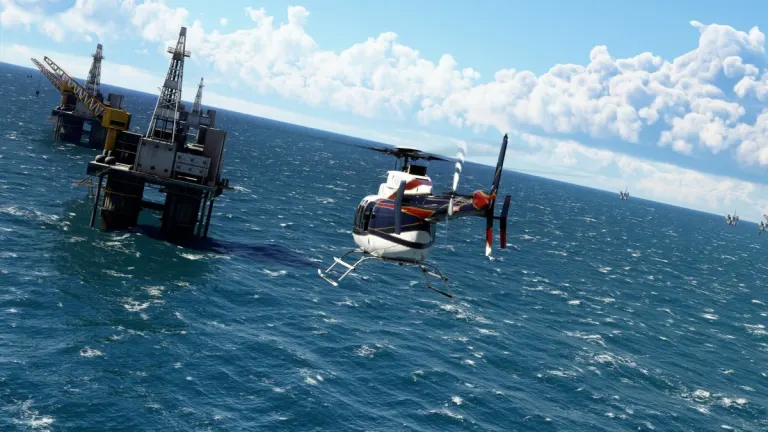
Visuals come from a dated engine but remain serviceable for desktop simulation, with seasonal weather and dynamic atmospheric conditions shaping each flight. Cockpits are fully interactive in 3D, and audio focuses on procedural cues and engine tones rather than cinematic scoring. Dynamic weather affects visibility and instrument flying; combined with narrated lessons and cockpit interaction, the presentation supports deliberate, instrument-focused play sessions.
Is it approachable for new pilots and how does progression work?
Onboarding includes a narrated Learning Center that covers basic maneuvers through instrument procedures, which helps new pilots follow a clear progression path. Missions provide structured objectives beyond free flight, so players unlock skills through scenario practice rather than abstract experience points. Minimum system requirements remain modest, reflecting legacy compatibility that lets the simulator run on lower-end Windows setups for entry-level users.
In summary, a training-focused simulator for procedural pilots with a dated engine trade-off
The simulator is a solid match for players who want methodical flight planning, instrument practice, and cooperative cockpit work; its narrated lessons and mission structure suit learners and enthusiasts. Expect the experience to show its age technically, which matters if you seek modern graphics or current-engine fidelity. For procedural training and a vast, expandable world, it remains a practical desktop choice for committed virtual pilots.